How to Install Manok Na Pula Mod APK — Step by Step (2026)
Installing Manok Na Pula Mod APK takes 6 steps on Android: back up your save, remove the official game, download the 126.7 MB file, allow the install, get past the Play Protect block, and open the game. Three things stop an install: the official game still on the phone, the “install unknown apps” switch turned on for the wrong app, and Play Protect’s “Harmful app blocked” screen.
Android version
5.1 or newer, 64-bit ARM phone
Download size
126.7 MB (126,725,507 bytes)
Steps
6
Main blockers
The official game still installed; Play Protect
Before You Install: Keep Your Progress
Installing the mod removes the save on your phone unless that save is backed up first. Android refuses to install a file over an app signed with a different key, so the official game has to be uninstalled before the mod goes on — and uninstalling deletes its local data.
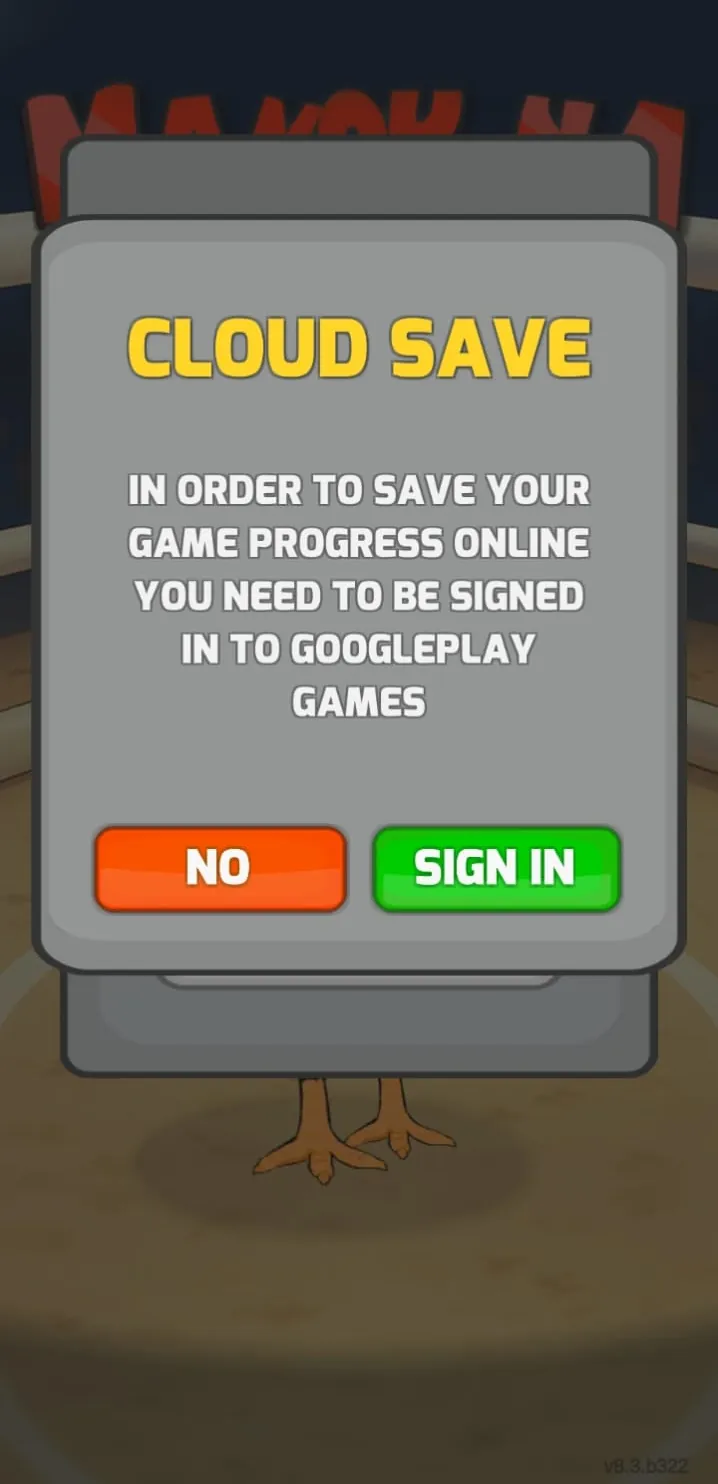
The official game’s backup is its Cloud Saving button on the main menu, which stores progress on a Google Play Games account. Sign in and save there before uninstalling. That cloud save stays with the official game: the mod build cannot sign in to Google Play Games — it shows “Failed to login Google Play Games” — so it starts a new save on the phone and never loads the cloud one. Reinstalling the official game later and signing in brings the cloud save back.
Two rules follow. Progress made in the mod lives only on that phone and is gone when the mod is uninstalled. And a mod file signed with one key will not install over a mod file signed with another, so moving between two mod builds from different makers also means an uninstall.
Which Install Permission Does Your Android Version Use?
The switch that allows an install from a file works one of two ways, decided by the Android version, not the phone brand. Check yours in Settings → About phone → Android version.
|
Android version |
How the permission works |
Where it is |
|---|---|---|
|
5.1 – 7.1 |
One switch for the whole phone |
Settings → Security → Unknown sources |
|
8.0 and newer |
One switch per app: the app that opens the APK needs its own grant |
Settings → Apps → Special app access → Install unknown apps |
|
13 and newer |
Same per-app switch; sideloaded apps also get “restricted settings” that block sensitive permissions such as accessibility until allowed separately |
Same as 8.0 |
The restricted-settings rule in Android 13 and newer does not touch this build: none of its 11 permissions is a restricted one.
How to Download and Install on Android
Back up your save
Use Cloud Saving in the official game, as above; the next step deletes local data.
Uninstall the official game
Hold the Manok Na Pula icon, tap Uninstall, and confirm. Skipping this step produces “App not installed” at the end.
Download the APK
Get the file from the Manok Na Pula mod download page and wait for the download to finish. A download that stops early produces a parse error, so use Wi-Fi if mobile data is unstable.
Allow the install for the app that opens the file
Tap the downloaded file; on Android 8.0 and newer the block message has a Settings shortcut that opens the right switch for that app. Turn on “Allow from this source” and go back.
Get past Play Protect
The install stops at “Harmful app blocked”. Tap the small “Install anyway” text to continue; the blue OK button cancels the install.
Open the game
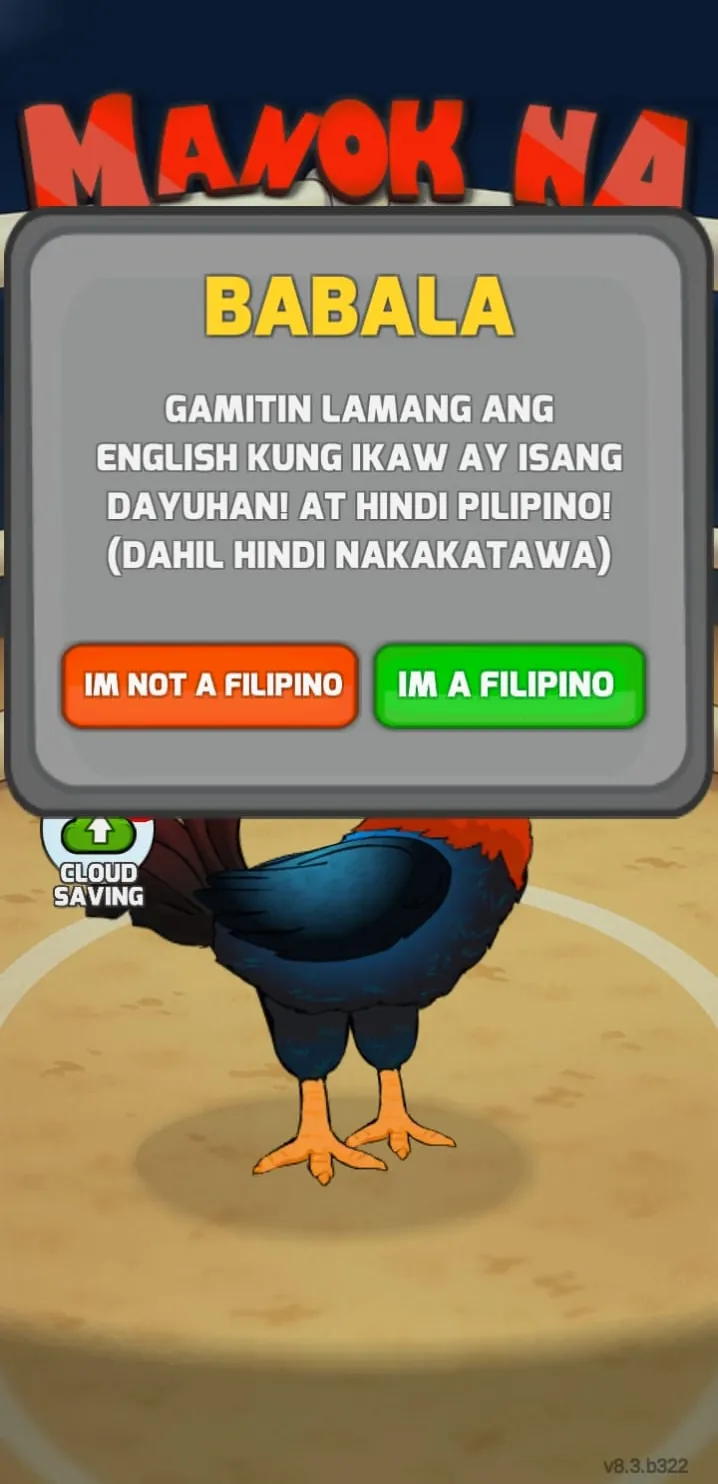
Wait for “App installed”, then open Manok Na Pula from the app drawer. The first screen asks which language to use, then offers Cloud Save sign-in; the mod cannot sign in, so tap No.
After the game opens, turn the “Allow from this source” switch back off. The permission belongs to the app that opened the file, and leaving it on lets that app install other files later.
Which App Needs the Permission?
The app that opens the APK file is the one that needs the grant, not the one you used to find it. That is the most common reason a switch that is “already on” still blocks the install: it was turned on for a different app.
|
How you got the file |
App that needs the grant |
|---|---|
|
Downloaded in Chrome and opened from the download bar |
Chrome |
|
Downloaded in Samsung Internet, Firefox or Edge |
That browser — each has its own switch |
|
Opened from a file manager |
The file manager |
|
Sent in a messaging app and tapped in the chat |
The messaging app |
On the test phone the file was tapped inside a chat, so the messaging app was the one granted the switch.
Where Is the Switch on Your Phone?
On Android 8.0 and newer the shortcut in step 4 opens the switch directly. If it does not appear, the menu path depends on the phone maker’s version of Android:
What Does Play Protect Show, and What Are the Options?
Every modified copy of Manok Na Pula meets the same screen, because it carries the official game’s name but not TATAY GAMES’ signing key. On Android 16 it read:
|
Part |
What it shows |
|---|---|
|
Title |
Harmful app blocked |
|
Reason |
Play Protect says it cannot verify the app. |
|
Warning |
Installing this app may put your device at risk. |
|
Choices |
Install anyway (grey text) · OK (blue button) |
“OK” cancels and deletes nothing. “Install anyway” installs the file. The block is a statement about who signed the app, not a virus name; what the file actually contains — including a traffic-relay component that no scan reports — is laid out in whether the mod is safe to install. Read that before choosing “Install anyway”, and use a spare phone.
Common Errors and Fixes
Each message has more than one cause, so check the cause before applying a fix.
|
Message |
Causes |
Fix |
|---|---|---|
|
“Harmful app blocked” |
Play Protect: the file is a re-signed copy |
Tap “Install anyway”, or cancel with OK |
|
“App not installed” |
The official game or another mod is installed (different key); a 32-bit phone; a newer version already installed; too little storage |
Check storage and the processor first; uninstall the installed copy only after a Cloud Saving backup |
|
“There was a problem parsing the package” |
The download stopped early; Android older than 5.1 |
Delete the file, download again on Wi-Fi |
|
The switch is on but the install is still blocked |
The grant was given to a different app |
Grant it to the app that opens the file |
|
“Failed to login Google Play Games” |
The mod is signed with a different key, so Google Play Games rejects it |
Expected; play on the local save |
|
The game stops working after an update |
TATAY GAMES released a new version; Google Play cannot update a mod |
Install the file built for the new version |
Checking for a corrupted download. An install that fails with no clear message is often a download that did not finish, even when the file looks complete. Compare the size with 126,725,507 bytes; for a definitive check, compare the SHA-256 hash with the one on the Manok Na Pula Mod v8.3 page. On Windows: certutil -hashfile manok-na-pula-mod-8.3.apk SHA256; on macOS or Linux: shasum -a 256 manok-na-pula-mod-8.3.apk. A mismatch means downloading again, not reinstalling.
Updating. Android installs a new file over the old copy only when the signing key matches and the version code is the same or higher. A matching key makes an in-place update possible; it does not guarantee the local save survives, so expect to start again if it does not.
Installing on iPhone, PC or an Older Version
Android is the only system an APK installs on directly. Each other route has its own page:
After installing, a voucher code can cut the price of Ultra Sisiw; how they work is in Manok Na Pula redeem codes.